
How can I connect my Instagram/IG to Beacons?
When you connect Instagram to Beacons, you'll see two options: Full connection and Quick connection. Both link your Instagram so Beacons can pull in your content and stats — they just unlock different features.
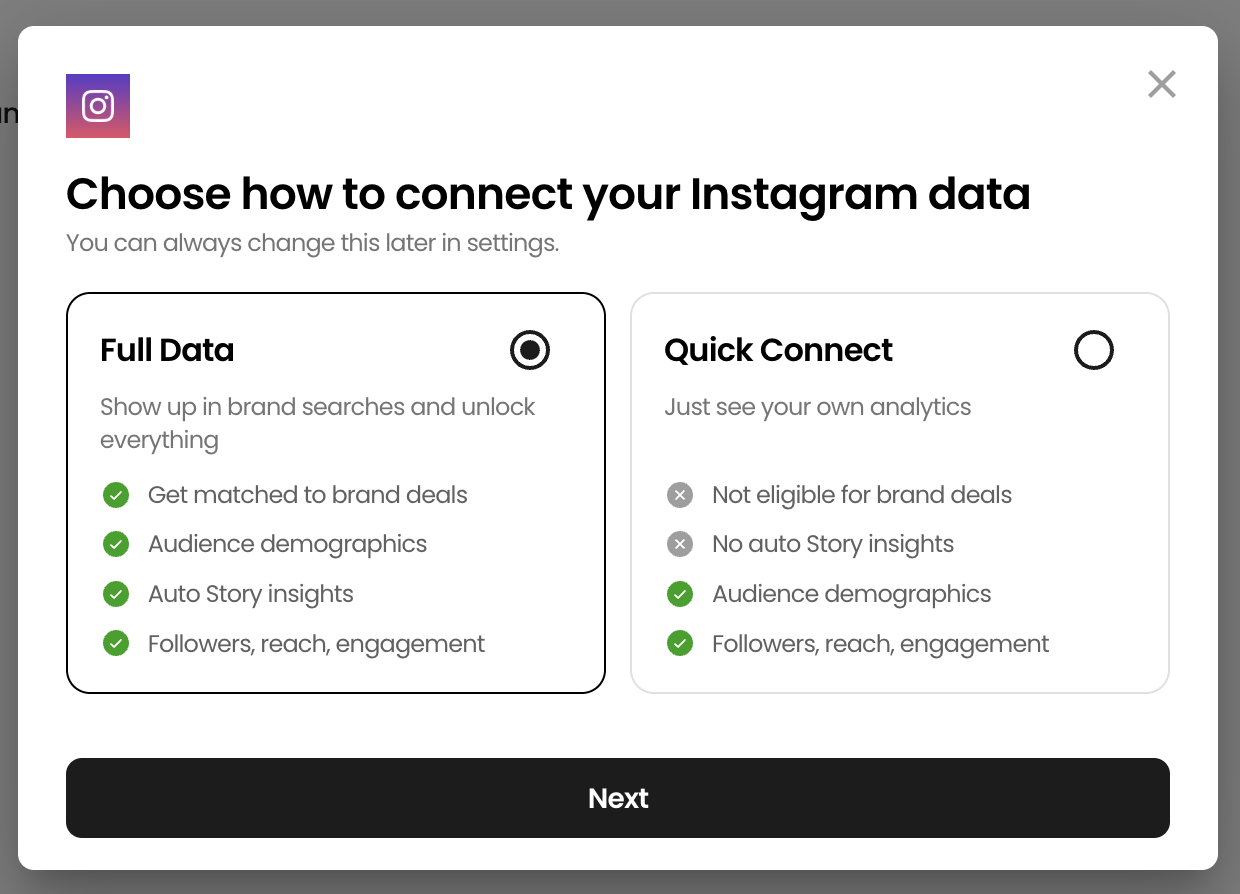
The short version
Full connection: best if you want to be discoverable by brands and eligible for brand deals. Requires a Facebook Business Page linked to your Instagram.
Quick connection: best if you mainly want Beam, Smart Reply, and a media kit. No Facebook Page needed.
You can always start with Quick and upgrade to Full later.
What each one gives you
Full connection (recommended for brand deal creators)
Full connection uses Facebook Login and gives Beacons the deepest view of your Instagram data. The setup takes a few extra minutes, but it's straightforward — we'll walk you through every step. Pick this if:
You want to be discoverable by brands and eligible for brand deals
You want brands searching for creators to find you in our database
You want every available metric on your media kit, including story insights
Agencies you work with rely on your full audience demographics
The only requirement: your Instagram needs to be linked to a Facebook Business Page. If you don't have one, you'll be prompted to create or connect one during setup. It's a common sticking point, so we have a separate guide to walk you through it — it only takes a few minutes.
Quick connection
Quick connection uses Instagram Login directly — no Facebook Page required. Pick this if:
You want to get set up fast
You're mainly using Beacons for your Link-in-Bio, Beam growth feedback, Smart Reply, or your media kit
You don't have a Facebook Page and don't want to make one
Brand deals aren't your main focus right now
Quick connection gives you the essentials: your profile, posts, reels, engagement metrics, and audience demographics.
One important limitation: If you work with brands, this matters — story performance is often a key part of brand reporting, and brands may ask for metrics you won't have. If brand deals are on your radar at all, Full connection is worth the extra setup.
How to choose
Ask yourself: do I want to be found by brands or considered for brand deals?
Yes → Full connection. The extra setup is worth it, and we'll guide you through it.
No, or not yet → Quick connection. You can always update this later.
Upgrading from Quick to Full later
If you start with Quick and later want to be discoverable by brands, you can add Full connection without disconnecting. Head to your media kit settings and look for the "Unlock brand deal analytics" prompt, or reconnect from your account settings. Your existing data stays put.
We don't currently support going the other direction — once you're on Full, you stay on Full.
Already connected to Instagram?
If you connected before these two options existed, you're already on Full connection. Nothing about your setup changes.
Still stuck? Email us at support@beacons.ai and we'll help you get connected.