
Stripe or PayPal isn’t working for my country
If you’re unable to set up or use Stripe or PayPal with Beacons, your country may be subject to payment-processor eligibility rules or other restrictions.
Check the processors’ current country information:
Availability and requirements can vary by country. Stripe’s public documentation does not publish a list of countries where a platform can’t collect a fee on a connected account. It does state that a platform based outside Brazil can’t collect a fee on a Brazilian connected account. Check directly with Stripe or PayPal for the latest details that apply to your account.
Why am I being asked to upgrade?
In some cases, payment-processor regulations require Beacons to collect a fee from the transaction. This restriction can’t be resolved on the free Beacons plan, or on the $10 Creator plan, which still has a Beacons Store fee. Upgrading to Creator Plus or Creator Max, which have no Beacons Store fee, may let you proceed past this particular restriction, but it does not override any separate eligibility or verification requirements set by Stripe or PayPal. You can also connect PayPal.
Stripe’s public documentation names this restriction for Brazil when the platform is based outside Brazil. The same restriction has been seen for Stripe accounts in Mexico and Malaysia. In Mexico, upgrading to Creator Plus or Creator Max does let Stripe card checkout proceed, including completed sales with no Beacons Store fee. For Brazil and Malaysia, the same Store-fee rule applies, but card checkout on Creator Plus or Creator Max has not been separately confirmed; if it still fails after that upgrade, contact Stripe or try PayPal.
In Mexico, price your products in pesos. A product priced in US dollars can be declined with “Currency not accepted.”
I see “This user has an error with their payment account. We have notified them to set it up.”
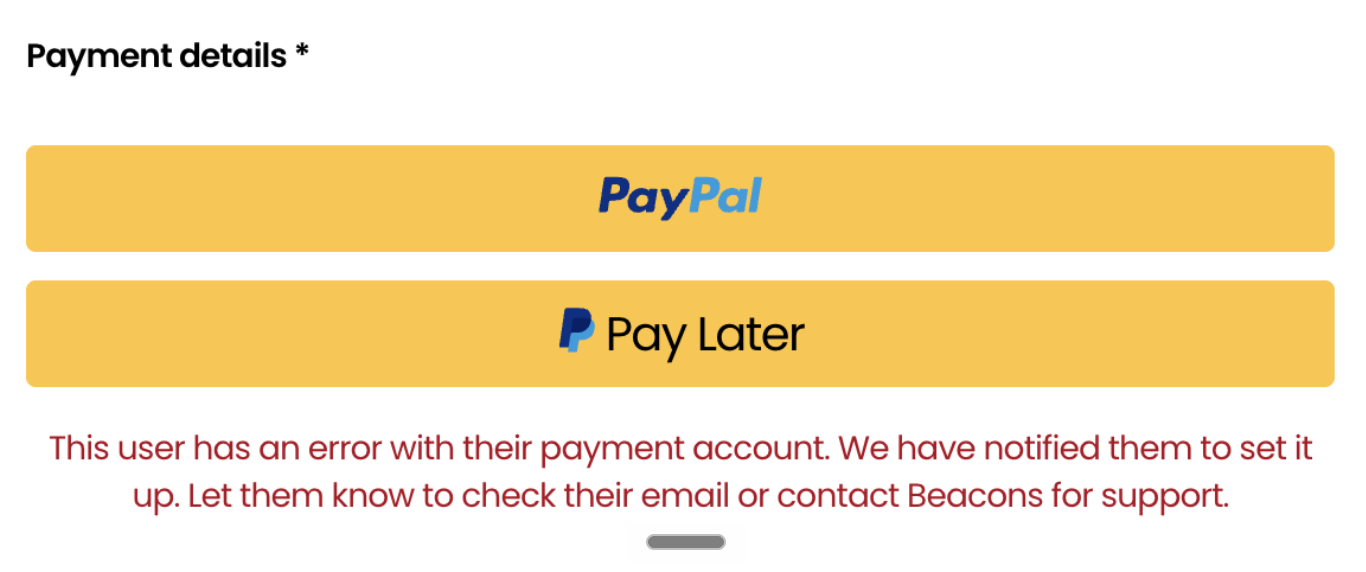
Check the email address associated with your Beacons account for instructions from Beacons, and follow the steps provided.
If the issue continues after you upgrade or complete setup, contact Stripe or PayPal directly. They can explain any country-specific requirements or restrictions on your payment account.