
How to Cancel my Subscriptions
Edited
Go to your Account Settings, click on Billing then your specific subscription.
Click on the "Manage" button to the right of your subscription and click on "Cancel" at the bottom right corner
It's important to note that this must be done via desktop/computer rather than mobile device.
Please also note, canceling your subscription may alter your page appearance and functionality, due to the loss of premium features.
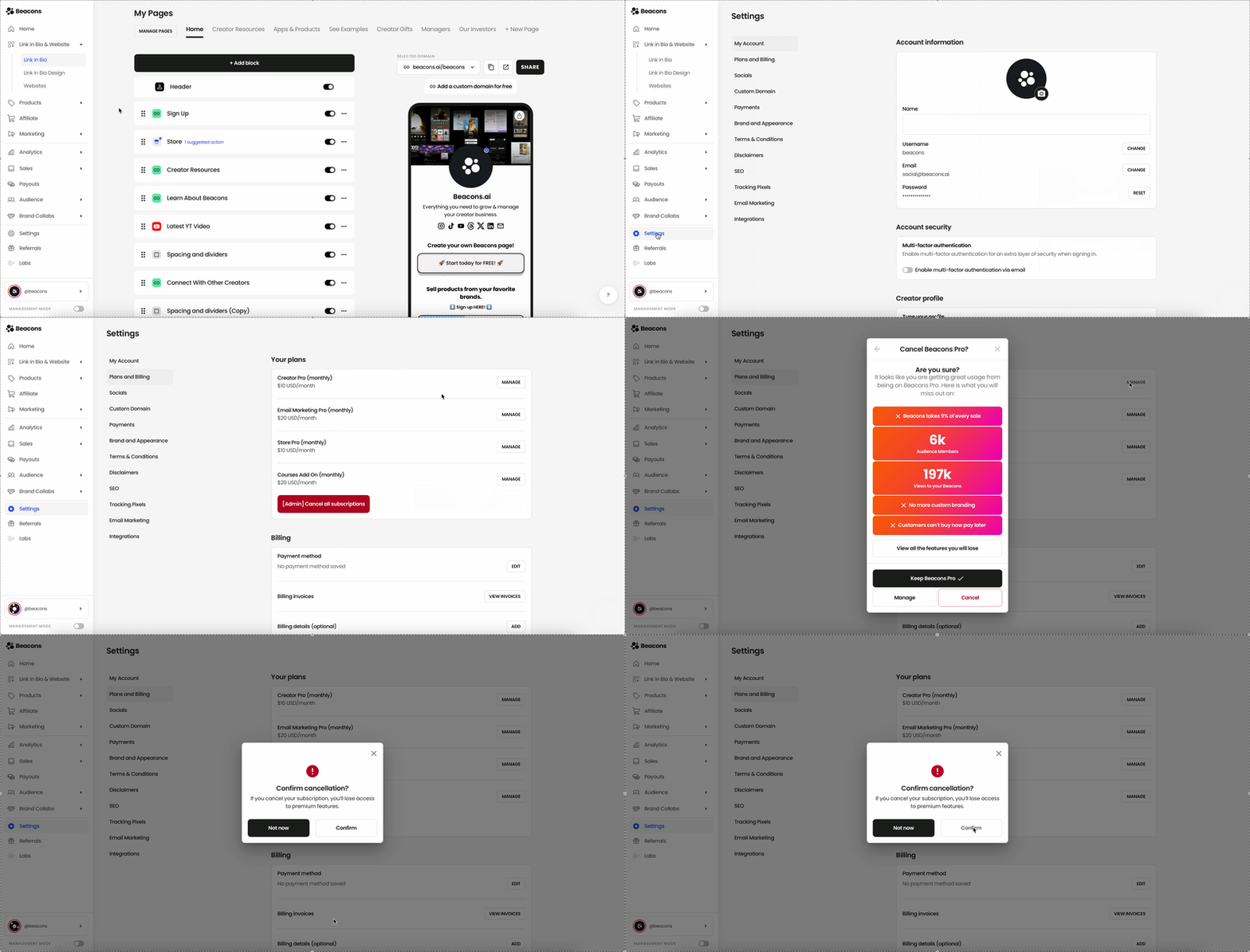
Now, when you return to the Account Settings page, you see that you are now back to the Free Subscription!
* you may need to refresh your page!
If you have any questions, please contact our creator support team
by emailing support@beacons.ai!
Was this article helpful?
Sorry about that! Care to tell us more?